Thursday, July 14, 2011

Day 29

I am officially at a crossroad now. Should I stick with what I am doing now, which is continue using the FXtool Heavy smoke or jump on to smoke simulations directly.

However, the down side of continuing using the FXtool is that, it doesn't provide much control and not really anyone here at SESI knows much about it. And I am so officially stuck.

If I jump on to smoke simulations directly, I have to learn starting from the basics and I wonder is it even worth the time to do that. Given that this shot is not my main shot.

Anyway, since I am so stuck, I went to watch some tutorials on smoke simulations just in case. Before I started on that, I dropped Steven, Mr Ron an email asking them for help. Hopefully they will reply. Odforce also didn't provide much help for me.

I watched a tutorial by cmiVFX on dust and smoke simulations. And after that, I went and did some test, like literally just playing around.

Suddenly, I saw that Steven replied my email, in the email he told me that he solved my problem and that was how he did it.

The before effect:
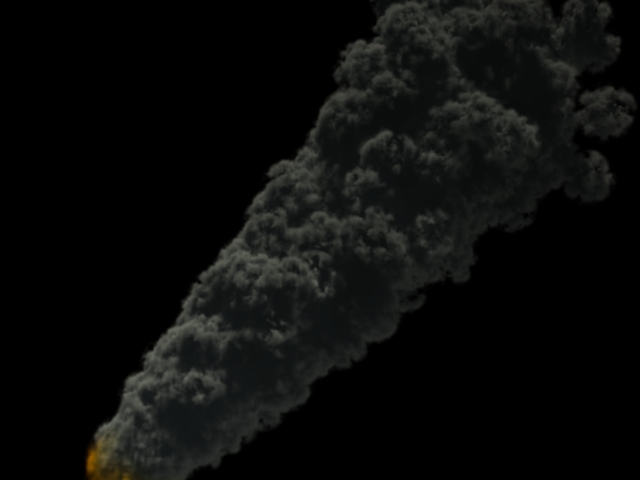

The after effect:


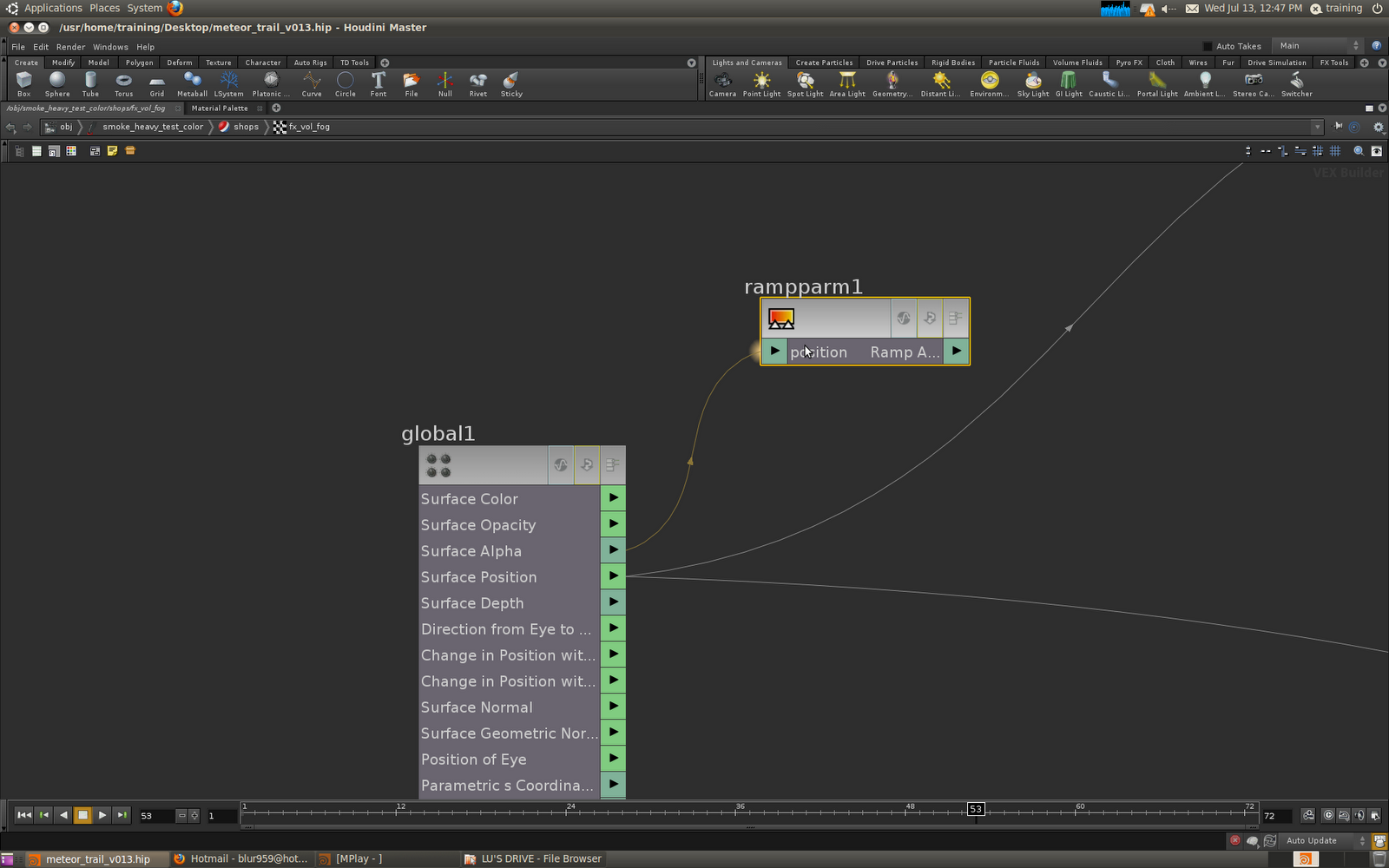
The way he did it was that he read in the alpha information from the metaballs in SOPS into VOPS. He then multiply that information with the calculated density from the shader itself. So I officially solved my problem. I am ready to move on. Thanks Steven for your help.

Next, I asked Steven about how did he managed to read in the alpha information from SOPS inside VOPS without doing any referencing at all. He told me that, creating a variable in VOPS that has the same name as a variable in SOPS will result in the variable data in SOPS overwriting the variable data in VOPS. Hence, that was how he could read in the Alpha information from SOPS by just literally creating the same "Alpha" variable in VOPS that is found in SOPS.

I also asked Steven about how do I solved the smoke flickering problems that I had. He told me that for me to do that, I could let the particles which are supposed to die, live longer and fade them out gradually instead of just letting them die.

I will so definitely give that a try tomorrow.

Wednesday, July 13, 2011

Day 28

Today, I continued working on the meteor trail. This time I am working on the lighting of it. A couple of versions:


Version 1: With heavy environment lighting.


Version 2: Tweaking environment lighting and changed color of sunlight.


Version 3: Overall lighting made brighter.

I then asked Mr Ari for comments on my overall scene.

He told me there were a couple of problems that needs to be worked on:
1- The meteor trail should spread out more instead of it being almost a straight line.
2- The tip of the smoke( which is supposed to be fire ) isn't hot enough. Glow could be added in to enhance it.
3- The smoke trail's density is too consistent. Allow the smoke to fade off at the back.
4- The smoke flickers too much. It should be more of a static thing after the meteor is "lit".

Just in case:

Below is my first render with some basic lights:


I started working on problem 1. And I solved it I think. Below is how it looks:


Next, I moved on to problem 3:

I managed to get some alpha in my scene by adding a color node inside pops and adding an alpha ramp to it.

I managed to get the viewport alpha to work and it somehow looks like this:


But the problem is when I render this out it looks exactly the same as before.

I therefore suspect that the shader is the problem. I went into the shader and did some random test.

I added a spline ramp to the surface alpha channel inside the shader, hoping it will work.


But no...It didn't.

Can anyone help me?

Monday, July 11, 2011

Day 27

Today, I made a decision. I will spend 2 days to tweak shot 1 and then pass it on for review before render. The past few days I am so not doing anything constructive.

Okay, so for today, I went and tweak the heavy smoke FXtool to suit more of my production needs. I turned down inherit velocities, mess around with the birth rates, went inside the network and started to do some exploring. As I mentioned a couple of days earlier, I managed to found a way to change the color of the smoke. I just played around with that and I am trying to create some alpha at the sides of the smoke. Still haven't figured that out yet. I then did a test render:


Next I placed arealights into the scene to light up the smoke. The result? Smoke that looks like smoke.
Below are the renders:


I also tried adding motion blur into the smoke.

Crazy motion blur( 15 ):


Crazy motion blur( 5 ):


And my initial test days ago:


I decided to render out a video and ask Steven to look at it for comments instead of just showing him a static frame. Now rendering.

Friday, July 8, 2011

Day 26

Today I started tackling those problems. First I went into the ripple fracture. I increased the gravity and soon after that effect started to show up a little.

I started tweaking it. However I realised that after I tried to make the simulation longer, my fractured pieces started moving towards a particular direction. I suspected it is this problem:


The slanting line. That line is suppose to be the velocity vector. I guess that all the pieces are moving along this velocity vector direction.

I consulted Mr Ziggy on this problem. He told me that, the problem is that my fit expression that creates the velocity.


My fit expression is giving this weird result. Mr Ziggy then did a step by step guide in showing me how it could be fixed.

Just by doing this is was fixed. How simple was that.


What is the difference is that, instead of refitting the values into user defined, refit them into per units. Then to increase the values use a multiplier. That way it will be much easier to control the velocities directions.

For today, that was what I did for the ripple fracturing.

I then moved on to tackle the meteor trail. I found a post on odforce showing how to create a ramp color for the smoke. I applied that and it looked like that:

I will continue to work on it.

That is all.

Thursday, July 7, 2011

Day 25

Today, I continued doing the ripple effect as usual. Actually, I didn't really do much today. The computers were letting me so so down. I do not know why my scenes are much laggier today, compared to the day before, even with the same scene. I had to restart computers around 5 times so far. God, maybe there was really something wrong with my scenes.

And my latest versions of my files, the fracturing pieces doesn't break! God, after restarting the computers many times and frustrating myself with the killer lag, I just realized that at around 4pm. I quickly rushed to get the previous file versions( luckily, it works ).

I quickly did fracturing test for a different number of scatter points, 100, 500, 800.

I hope they can finish before Steven reaches.

Anyways, I didn't slack of when I was waiting for the simulation to cook. I went and did my meteor trails. I went to odforce and saw many threads. The one that I did initially was following Miguel's meteor tutorial. ( I didn't get to see the tutorial, just the file ) He was using sprites to create the trail. When I did it and tried to add motion blur to enhance the effect, it did not look good at all. I wonder how they did it. I have seen some people who followed his tutorial and produced decent results. But there isn't any files from them. Some I saw are:

http://forums.odforce.net/index.php?/topic/7353-how-to-render-color-on-sprites/page__hl__meteor__fromsearch__1

http://forums.odforce.net/index.php?/topic/5414-meteor-impact/page__hl__meteor__fromsearch__1

http://forums.odforce.net/index.php?/topic/5377-meteor/page__hl__meteor__fromsearch__1

I found a post which was discussing about the FXtool Heavy smoke in Houdini. I suddenly remembered that that tool produces quite decent smoke. I went and played around with the parameters and indeed it does. But there may be some problems which I have not notice....


I parented a sphere to this "smoke heavy" system.

Steven went through with me both my fracturing system and my meteor trail. He told me a couple of things that needs to be improved.

1- The fractured pieces should be affected by gravity and be pushed down instead of just staying put after the ripple.

2- The effect is too fast. And, a way that I could tackle the problem of simulation time and scale is to break the terrain up into different set of pieces. Then using different scatter points, pre-fracture the different pieces.

3- For the meteor trail, there has to be some sort of ramp color instead of a flat color.

4- Do more research.

I will tackle this problems from tomorrow onwards.

Wednesday, July 6, 2011

Day 24

Today, I continued on the ripple effect simulation. I took note of what steven mentioned to me regarding the whole simulation I showed to him.

Things he said:
1- It feels a little slow for the ripple
2- Size of each piece. And a reference for that.

First I tried to improve on the effect itself until I was satisfied. I created 2 sets of additional forces on top of the ripple effect.

1- A force that creates the upheaval effect, throws the pieces further up in the air
2- A force that brings the pieces affected by the first force down, it works like a gravity force.

I do not have the playblast with me now, due to some technical issues, but I will get it out and show it to Steven when he gets here tomorrow.

After that, I rebuilt the entire system using the terrain I did yesterday. The scale I would say is at least 15 times bigger than what I was working with before. Hence, the forces and velocities have to be much greater. Below is the scale reference of my terrain with regards to a default human scale( The model was not done by me, it was done by Mr Douglas, I am using it only for comparison intentions. Credit and Thanks to Mr Douglas)


This is the near shot.( This is not my camera angle)


This is the far shot( This is also not my camera angle )

And below is the piece reference I was intending to achieve:


I looked through the trailer on Thor which has the effect I was trying to re-create. God, their pieces were so small. ( If you compared the piece size to Thor himself. ) I wonder how many points they used, or maybe they cheated?


However there were some problems:
1- To even reach that piece size is already insane( scatter points is at 25 000 )
2- I do not know how am I going to simulate with 25 000 scatter points. 3 000 already takes so long.
3- I'm having issues with the size of my ripple and the pieces breaking up.


I would bring that up to Steven when I see him tomorrow.

That is all for today.

Tuesday, July 5, 2011

Day 23

Today is the first day after the long Independence Day holiday. The long holiday wasn't as fruitfully spend as what I was hoping for. But anyways, back to the important stuffs. Today I took a look at Mr Michael's file. The method he was using for his fracturing was different. And the results seems much better than what I was working on for the past 2 weeks I think. Anyways, after that, I went into modeling of the terrain using Bryan's heightmap otl he created during FYPJ.

It was my first time painting heightmaps in photoshop and the results was kind of crappy.


Can you even tell what this is?

No I guess. But this was actually my first version.

After much variations:


I gave up, I decided to take a existing heightmap and edit it in photoshop. This is what I found.


This was how it looked and after much work, the terrain which I was kind of satisfied with it.


Yah, I know, there isn't much difference. But I do not need much details on my terrain anyways. And now I am trying to rebuild Mr Michael's system using this terrain. Still no luck, hope it works!